
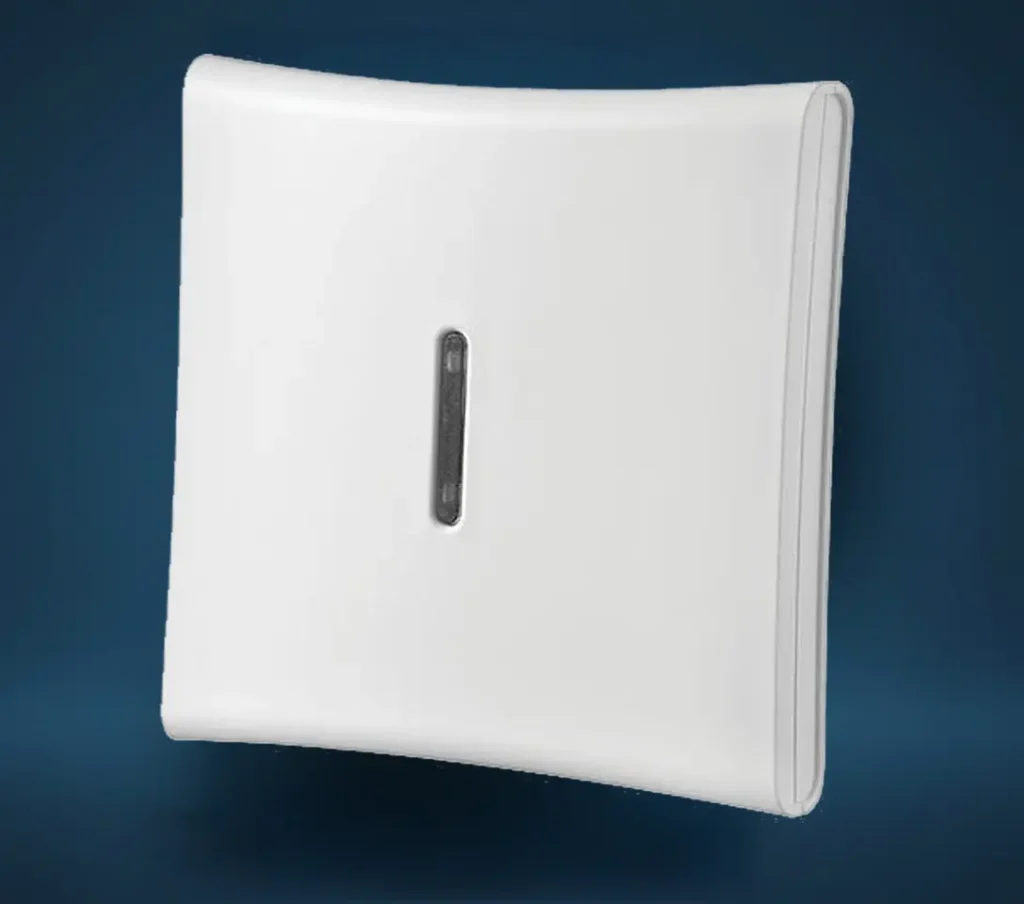
Specs
Dimensions: 161 x 161 x 50mm (6-7/16 x 6-7/16 x 1-3/4in)
Battery Life: 8 years (typical use)
Battery Type: 3.6V, Li-Thionyl Chloride 0-102710
Weight (including battery): 470gr (16.5oz.)
Operating Temperature: -10°C to 55°C (14°F – 131°F)
Colours
White
Documentation
Data Sheet
Installation Guide
How to Replace the Battery
1. Prep the System
Put your security system into Test Mode or notify your monitoring station to avoid triggering false alarms. Removing the cover will cause a tamper alert, which is completely normal.
2. Remove the Siren from the Wall
Locate the two slots or tabs at the bottom of the siren cover.
Insert a flathead screwdriver into these slots and gently pop the siren housing off its backplate.
3. Swap the Batteries
Disconnect the old battery packs from their connector plugs inside the siren.
Wait about 10 seconds before installing the new ones.
Plug in the two new battery packs using the wire connectors. Ensure the wires are seated neatly in the battery compartment to avoid them being pinched when closing the cover.
4. Close and Secure
Align the top of the cover with the backplate, then push the bottom end in until it clicks firmly into place.
5. Clear the Tamper Alert
Go to your system keypad or touchscreen.
Enter your User Code to clear the tamper alert/trouble condition and silence any beeping.
What You Will Need
You will need a replacement battery kit (often listed as DSC BATT-PGX901/X911), which contains two special 3.6V Lithium-thionyl chloride battery packs. You will also need a flathead screwdriver to release the casing.
How to See My Signal Strength
The following table indicates the received signal strength.
Green LED Blinks = Strong
Orange LED Blinks = Good
Red LED Blinks = Poor
No Blinks = No Communication
Frequently Asked Questions
How do I know if my Wireless Indoor Siren is working?
You can usually confirm the siren is working when your system is tested by Grand Alarms or during a supported alarm event. Do not intentionally trigger your alarm without speaking to Grand Alarms first, especially if your system is monitored. If you are unsure whether the siren is working properly, contact Grand Alarms and we can help check the device status.
How do I test my Wireless Indoor Siren?
How do I know if the siren battery is low?
How can I stop the siren from sounding?
Why is my Wireless Indoor Siren beeping?
How do I turn down the volume on the Wireless Indoor Siren?
Can I move the Wireless Indoor Siren to another room?
Where is the best place to install the Wireless Indoor Siren?
Does the Wireless Indoor Siren work during a power outage?
Can I add more than one Wireless Indoor Siren?
What should I do if my Wireless Indoor Siren is not responding?
Refer a Friend or Family Member
When someone you refer joins Grand Alarms, you’ll receive 2 months of free service as a thank-you.
Specs
Dimensions: 161 x 161 x 50mm (6-7/16 x 6-7/16 x 1-3/4in)
Battery Life: 8 years (typical use)
Battery Type: 3.6V, Li-Thionyl Chloride 0-102710
Weight (including battery): 470gr (16.5oz.)
Operating Temperature: -10°C to 55°C (14°F – 131°F)
Available Colours
White
Documentation
Data Sheet
Installation Guide
How to Replace the Battery
1. Prep the System
Put your security system into Test Mode or notify your monitoring station to avoid triggering false alarms. Removing the cover will cause a tamper alert, which is completely normal.
2. Remove the Siren from the Wall
Locate the two slots or tabs at the bottom of the siren cover.
Insert a flathead screwdriver into these slots and gently pop the siren housing off its backplate.
3. Swap the Batteries
Disconnect the old battery packs from their connector plugs inside the siren.
Wait about 10 seconds before installing the new ones.
Plug in the two new battery packs using the wire connectors. Ensure the wires are seated neatly in the battery compartment to avoid them being pinched when closing the cover.
4. Close and Secure
Align the top of the cover with the backplate, then push the bottom end in until it clicks firmly into place.
5. Clear the Tamper Alert
Go to your system keypad or touchscreen.
Enter your User Code to clear the tamper alert/trouble condition and silence any beeping.
What You Will Need
You will need a replacement battery kit (often listed as DSC BATT-PGX901/X911), which contains two special 3.6V Lithium-thionyl chloride battery packs. You will also need a flathead screwdriver to release the casing.
How to See My Signal Strength
The following table indicates the received signal strength.
Green LED Blinks = Strong
Orange LED Blinks = Good
Red LED Blinks = Poor
No Blinks = No Communication
Frequently Asked Questions
How do I know if my Wireless Indoor Siren is working?
You can usually confirm the siren is working when your system is tested by Grand Alarms or during a supported alarm event. Do not intentionally trigger your alarm without speaking to Grand Alarms first, especially if your system is monitored. If you are unsure whether the siren is working properly, contact Grand Alarms and we can help check the device status.